
So I really think I should change my blog theme.
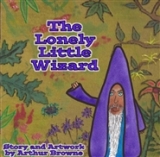
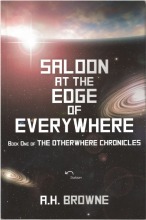
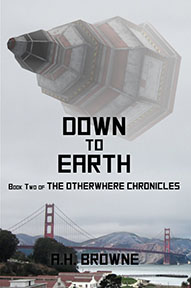
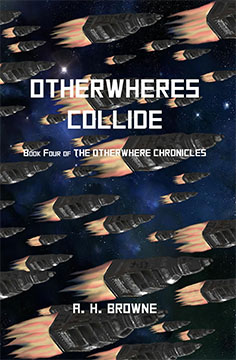
I would like to have a sidebar where I can showcase the book, and make it easy to order so I don’t have to keep pestering you all in posts to buy it.
And I might put some of the pictures I did of the aliens from the book there as well, since I didn’t include those in the book because Jessica said they were not of high enough quality.
And maybe I could put my original song videos, and some of my awards, and perhaps a blogroll of my favorite bloggers.
But I don’t want it to be too cluttered. I love the simple elegance of the theme I have now.
And I am a little worried that I might do something stupid… you know, like I do… and lose the entire blog.
So any help you can give would be greatly appreciated.
Thanks.




 Pouring My Art Out
I didn’t read all of the replies above, but all you need to do is go to Dashboard, hit Screen Options in the upper left, and choose two columns. Then you have to think about widgets, for entering all the material into the second column. But you don’t have to change your theme to do this.
I don’t have that option. I think this theme does not support it. That is what started this whole mess.
Not even in little gray letters next to the equally obscure Help button?
I will look again, but I don’t think so.
I follow a blogger who writes about blogging tips etc. All free. I just read this post and thought of you. It might be helpful. here is the link http://www.writewithwarnimont.com/why-and-how-you-should-give-out-an-ebook-and-more-stuff-on-your-blog
I went there. It is going to take me a while to dig through it. But thanks so much.
You want new readers to stay on your blog as long as possible and to easily explore. So get to work. Use those widgets. Most of us didn’t have a clue but trial and error always works. Your book is a priority. We need to see a pic and links. We are soo lazy. Make it v v easy for us to do what you want! As you can see so many are willing to help. We are all waiting for the grand opening of your new/old blog!
Oh and last thing, dont rush. Go to lots of other sites esp those marketing their own books and see what you do? Do you click and why? Do you explore and what works. I think you have the cart before the horse. You are doing the widgets etc without knowing exactly what you want.Best wishes. I even took time on my Blogging break to send you this comment!
Thank you for caring! That is good advice. I wish my brain worked like that.
I thought we agreed not to name names .. grrr
Wait… what? What did I do. I hate it when you’re angry.
Its ok baby I never get angry, way too lazy 😉
I don’t remember what it was I thought this started with. Ha
te when that happens?
ppy birthday?
ve you seen my keys?
Whaaaaaaaaaaaaaat!?
I couldn’t have said it better myself…
Awww Arthur, you got some good buddies helping you out up there! I too am a moron, nice to meet you. When I get stuck I usually google my question and then click on whatever site comes up relating to WordPress tutorials. Then I read it… and promptly forget it!!!
You could always hire an I.T. department (Jess?) ha ha ha.
She is moving to New Mexico… sob…
That’s not allowed!!! Did you stamp your foot???
Yes.
this is a lot to digest, but perhaps i’ll change my theme (or present lack thereof).
Every party needs a theme. Why not a blog?
Just a suggestion, when you’re ready to put your book up, a pic is good but a pic with a link to where your book is selling is better. So when they click on your book it takes the straight to where they can buy it.
I am going to try to do that.
i think i can help if you need it.
Thanks.
anytime
how about now?
k
You would need to change theme, was reading about the guy who made the theme, purposefully never created widgets for it. So its a new frock for you, cant wait to see you give us a twirl!
Here’s looking up my old address…
Get out! I’ve had a mustache since I was 14 too! Wow. Small world.
Oh stop.
Yeah, that’s just a facade. Really I’m very mean.
I am not that nice either. I have had the mustache since I was 14, because if I don’t have it, it always looks like I am smiling. Not even a nice smile. More like I know something the rest of you don’t. Which I do, but I don’t want to look like that all the time.
haha
Why, yes, as a matter of fact, it is!
That… and I don’t mean this in any kind of creepy way… is an adorable picture of you. You look very nice and friendly.
You asked for it dude, lol! 🙂 Enjoyed the ping-pong match, though. I’ll be back to check your music L8r. Good luck on the themes. I don’t think WordPress offers a whole lot (for free anyway) in the way of sidebar options, but Blogspot does. That is the only thing I liked better over there.
Most people I see have stuff on the side… is that a sunflower you are wearing???
WordPress lets you “try on” themes. Just go under Appearance on your dashboard. The top of the page should say “manage themes” when you get there. Then scroll down to “browse and try on” the themes. It won’t change anything permanently but it will show you what your blog will look like in the new one and tell you of all the features. Put on your electric underwear first, though because I hear that will make you into an instant computer genius!
Or cook me like a… insert hotdog and round vegetable meal choice here… Thanks. I need to play around with that… the themes, not the… oh never mind… thanks so much.
Go to the dashboard part of your blog, click on widgets and let me know if you have the capacity for widgets in the sidebar. You should get a menu with a bunch of widgets and to the right there will be a menu that says Primary Widget Area.
By adding a few widgets you won’t need to change your theme.
You can always go to your dashboard and click on Appearance and Themes on the left side and go shopping for a new theme.
There are a lot of options on this widget page that I am not using…
Yes, I know that. What you do is drag the choices you’d like to use to the Widget Area.
But that will put them at the top or bottom, not on the side with this theme I think.
Where is the primary widget area located in the dashboard, is it on the top or bottom or is it to the left or right?
To the right
This is good, you’re ish will flow down the right side like a menu.
Every other widget I have on the side is at the top or bottom of my actuall blog page.
Let’s look at themes.
I need to go pick up Mollie, and make dinner.
That’s okay, it’s almost time for us to eat too. When you get a chance look at Book Lite, you might like it.
Is that a theme? I will check it out.
Yeah, I see the new image button or widget or whatever down at the bottom of the page with the other active ones, saying to configure it. I just ragged it back. I need a new theme with side widgets… I need me a fatty!
Yeah, a fatty will make it all better and it will be fun to make all the changes.
I will play with themes… and just bail out if I need your help… you have already done more than enough.
I don’t see the word widgets… let me poke around.
I found it under apperances… hold on…
I’m gonna go there on mine so I can see if I can help you.
I see a thing that says display an image in your sidebar…
Splendid, where do you see that thing?
On the available widgets page.
I found it.
So you drag that Image tab right over to the widget area where you’d like to display the image.
I will try it, but I think it will go to the top or bottom of the page…
I have footer areas…
Yes, you have a bunch of areas. What exactly do you want to put in your areas?
I just want to put stuff on the side. Right now I only have things at the top and bottom. I want a picture and link for the book and maybe some other stuff, my song videoos where people can see them, and my awards maybe. I don’t know.
So the Image tab will be good for the picture of the book; where do you want that to be?
On the side where it will stay without moving. I dragged the image thing, but it want me to add the image now, and I don’t have it yet.
Don’t fret. You can drag it when you get the picture of the book.
I think I went through this all before. I was told that my theme only accepts headers and footers but not sidebars. Maybe I should just try out some new themes?
If you go to Themes and choose the live preview of the ones you like you can see what your blog will look like. Mine is very plain and I customized it with a photo of my summer flowers, so you could do the same, you don’t have to use the default photos. I use Twenty Ten.
I just need to try some new clothes on… thanks for the help though.
You won’t lose the entire blog. I’ve changed my theme numerous times and every bit of it is still there. I think.
Did I mention that I am a computer moron???