
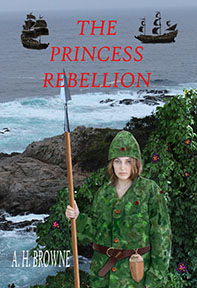
So… how do I remove one of the menu buttons from my top bar thing? I tried doing it by myself, and it didn’t work. I don’t want to mess anything else up, but that Heirloom story is no longer being written at the moment… although I might start it up again with my head minion, Trent, when he gets less busy, because I still think the idea of writing a novel with two authors taking turns doing every other chapter is a cool idea… but I could put the princess novel up there for now so people can read it all in one place… or I might start posting a novel I started writing way back when I was a teenager about a post apocalyptic world full of crazed bikers… (and this is before the Mad Max movies came out, just so you know, and it also has science fiction elements and takes place in three distinct times and has Apaches and special forces and an alien space ship and, well, we can get to that later)…
Any advice?




 Pouring My Art Out
Learn Pakistani – then call. Or move to Canada where any request for help is prefaced with please choose “French” or “English” in which case you choose “French” and when they come on to help in French speak English to them and they will speak English back, generally with grumbling.
I need to mover there just for that
Do you want me to do it for you?
GIBBER!!!!!!!!!!!!!!!!!!!!!!!!!!!!!!!!!!!!!!!!!!!!!!!!!!!!!!!!!!!!!!!!!!!!!!!!!!!!!!!!!!!!!!!!!!!!!!!!!!!!!!!!!!!!!!!!!!!!!!!!!!!!!!!!!!!!!!!!!!!!!!!!!!!!!!!!!!!!!!!!!!!!!!!!!!!!!!!!!!!!!!!!!!!!!!!!!!!!!!!!!!!!!!!!
I’ll take that as a yes? I can just set it so it’s still there but not seen by the public
I just want to get rid of the button, not the original posts… or change it so I can put the princess novel up there.
HA! I was thinking of emailing you, but I have the other novel coming soon, and I didn’t want to pester you.
It’s okay. You don’t have be afraid of pestering me. I’m happy to help.
now that we are Facebook friends too!
Ha!
wheeeeeeeeeeee
It’s done. 🙂 I just put it on private so it’s still there not seen by the public.
Is there still room there to put the princess book instead?
Put it where? On your side bar or as a page?
In the same place… that was a button that took you to the Heirloom story, now I want to do the same thing with the princess story… if you can tell me how to get new chapters there as I post them… HA! I have another old novel I might start posting that I would like to do the same thing with, if I can.
Is the Princess Story a book or are you just adding story to that page? I’m a little confused
It is a novel I am writing, but I only have two chapters done and posted here so far. That is what we were doing with the heirloom story too. There was a way that I could add new chapters to the button in the top bar as I posted them…. but keep chapter one at the top always.
But do you want a whole new page? It was a page.
I guess so… it that is how it works… so I can put new chapters in there as I go.
Is that what you were doing? If so it works. Ha! I can put the page up there for you. What’s the title of it?
The Seven Kingdoms
Done. Do you want to check it out. I left a message on the page for you
oh cool… I will go now… I got distracted by cute little trick-or-treaters last night… thanks
Ha! They are cute.
yup
I got rid of the message and put the two chapters in there! Thanks… I thanked you in the new post too. Maybe we can do this again in a week or two if I decide to start posting my other new/really old novel?
You’re welcome. We can do it again if you want. Glad it worked for you.
It did, thanks
Let me know when you need help again. 🙂
oh, you know I am going to… HA!
Aha!
yup…
If I go by your Heirloom page. You were just adding content a little at a time to that page? If so do you want to continue adding only the princess story now and have a different page title or do you want a whole new page
I don’t know what that means… I want a button on the top bar that takes you to all the posts for the new princess story, that I can add new chapters to as I type them and post them. The button should say; The Seven Kingdoms
That might be a bit over my head. Trent or Rara would probably know how to do that.
wordpress…. sigh
Reblogged this on perfectlyfadeddelusions and commented:
Would love to read the princess novel, but I’m going to leave it to you. I don’t want to sound too pushy.
I have posted the two chapters I have written so far…
Ohhhh and I forgot the condescending questions… Are you logged in to your account? Are you sure that you are not simply smiling incorrectly? Is your computer plugged in? This whole issue is likely an 1 D 1 0 T error… Bwah ha ha ha
well played!
I think Cordelias right… Click on My Site in top left corner then click on pages and the rest should be self explanatory. You can then set it to private as she said and I think there is also the option to save it as a draft rather than publishing it but I’m not sure if that is only for new pages or if it also works on drafts. You can also save it to Private and password it so those you want to see it can see it by putting in the password.
Is there a way to just remove the button?
Yes, delete the page, you lose everything on it that way
glad I am a moron then… ha
Hmmmm at least you have your looks. Bwah ha ha ha
word… oh yeah
Why don’t you google it!
oh… right
no left then right!
yup
You have it set up as a Page. Go into your administrative settings. select “Pages”, and then you can either delete the Heirloom page (but probably you don’t want to do that), or simply edit it to change the “visibility” from public to private (on the right-hand side of edit screen). That should work.
PS: If you’re using the new WP format, the settings are on the left side of the screen, then select Pages and click on the Heirloom page, and you’ll need to go into “Advanced Settings” to change the page visibility. If you’re using the old WP format (WP Admin), do what I said in the first comment.
I will give it a try but I’m scared!
I want to leave the story in the old posts, just remove the button from the top bar.
If you have links to the story in your old posts, setting the page view to “private” might mess that up. In which case, I’m out of advice.
they don’t make things easy, do they?
Nope, and I’m sure they get paid the big bucks for that.
ha
BTW, you have successfully hidden that page.
HA! I didn’t… my best Canadian little sister, Gibber, did it for me.